

MyInfo 8.5.6 is now available! This update puts color handling in the spotlight, with improved color controls, shared custom palettes, and more consistent formatting. It also brings faster navigation, better content handling, and a number of important fixes.
Let's take a look!
Better Color Controls
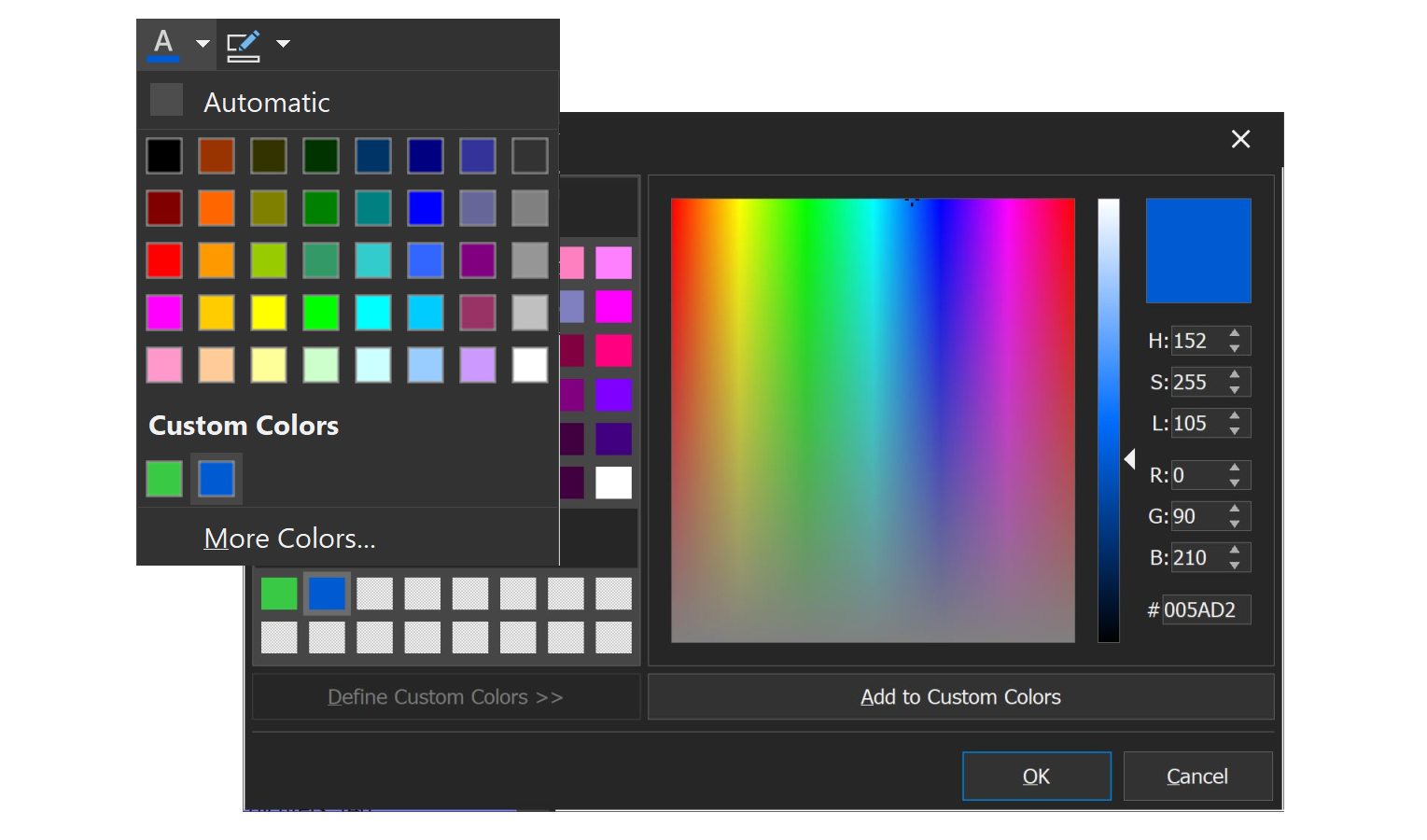
Working with colors in MyInfo is now easier and more consistent, with several improvements to the color formatting tools:
- Improved toolbar buttons: Color, Background Color, and Cells Color are now fully customizable toolbar buttons that follow the active application theme.
- Shared custom colors: Custom colors are now remembered and available across all color palettes, so there's no need to set them up separately.
- Smarter color buttons: Color and Background Color now behave more like Bold. Clicking a button applies the color or removes it when it's already applied to the selected text or notes, with a pressed button state for visual feedback.
- Better mixed-color formatting: Applying a text or background color to a selection containing different colors now works correctly across the entire selection.
Text colors on dark backgrounds and font sizes in the note list are also displayed more accurately.
Faster & Smoother Navigation
Several improvements make navigating MyInfo and working with multiple notebooks more responsive:
- Scrolling through Go To Anything results is now much faster.
- The mouse wheel now scrolls the list or pane under the mouse pointer, even when the search field or another pane has focus.
- Closing all notebooks or exiting MyInfo is now much faster when many notebooks are open and the Notebooks pane is visible.
Better Attachments, Images & Printing
This release also improves how MyInfo handles attachments, imported content, and printed notes:
- Clearer attachment feedback: Files that cannot be attached because of the note size limit are now listed by name, including when pasting, dropping files, or importing folders.
- Better web content importing: Pasting or dropping content from some Cloudflare-protected websites now imports their images correctly.
- Pictures that are open in another application can now be inserted or imported.
- Page breaks inserted in notes now work correctly in print, print preview, and RTF and DOCX exports.
- The right and bottom borders of tables are now displayed correctly when printing or exporting to RTF and DOCX.
Important Fixes
MyInfo 8.5.6 also addresses several issues affecting notebook reliability and everyday workflows:
- More reliable saving: Failed saves during undo, redo, revision restoration, or editing, and certain unexpected errors during content insertion, no longer prevent further notebook saving for the rest of the session.
- Perspective and formatting rules: True/false filter and conditional formatting rules now retain their values correctly when other rules are edited.
- More reliable note links: Global Search results and note links now work correctly with notebook paths containing # or %, and links to notes with % in their titles.
- Better dark mode readability: Improved colors in Go To Anything, note list hover previews, and placeholder text in search and filter fields.
- More accurate text copying: Copying text to other applications now better preserves spaces and avoids unwanted line breaks.
- Pasting notes copied or cut from another notebook no longer crashes MyInfo.
All Changes
See the full list of changes in MyInfo 8.5.6
How do I get it?
Want to try out MyInfo 8.5.6? Grab it here:
The trial is fully functional for 30 days, so you have plenty of time to try it.
If you are a registered customer, you will receive download links for your licensed copy of MyInfo 8.5.6 in your email inbox.